Pose any Uma.

and save the shot

UmaStudio loads characters straight from your installed game. Pick a pose and an expression, give her a prop and a background, then save a PNG or a video.

Free and open source. For Windows, with the Steam version of the game.

  • 90+Umas, and their chibis
  • 800+background Umas
  • 4,000+poses
  • 500+hand props
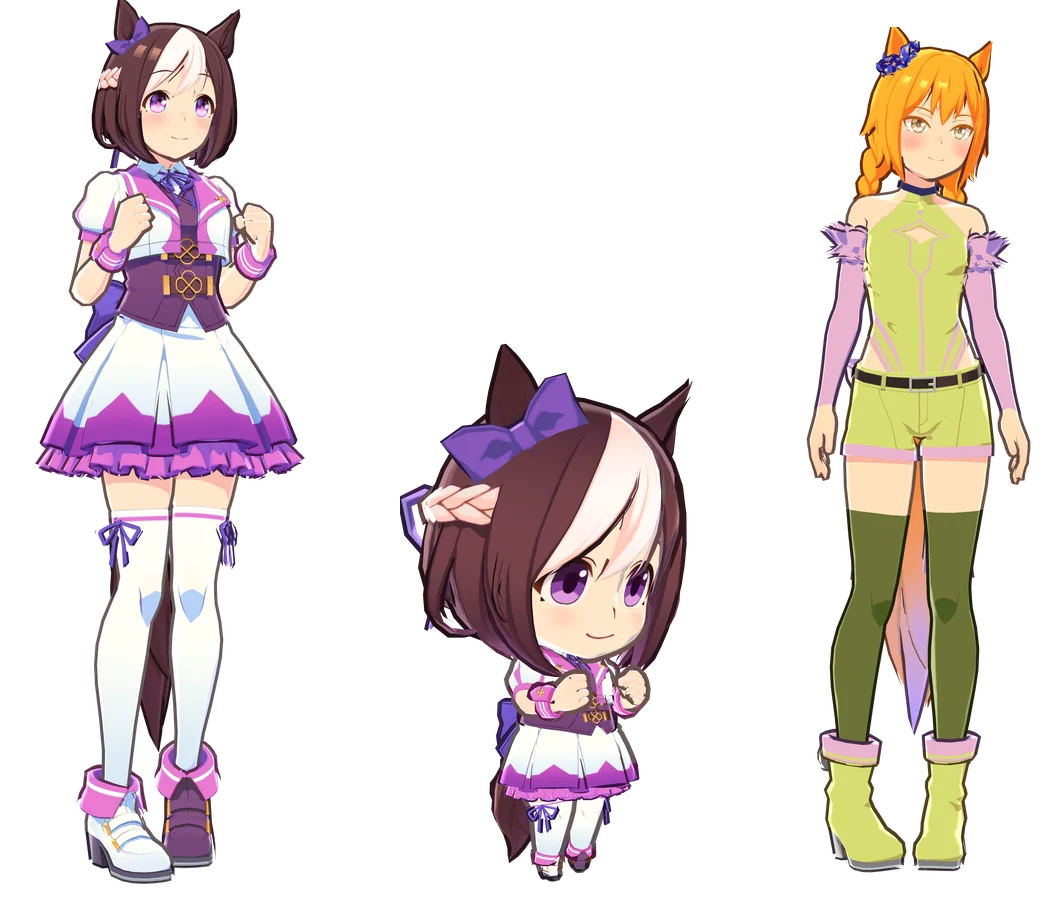
Special Week, her chibi version and a background Uma side by side

Every Uma in your game.

Pick from every character your game has downloaded, in her own outfits or the shared ones: uniforms, tracksuits and the rest.

Their chibi versions too, with the game's chibi faces and motions, and over 800 background Umas from races and events, coloured the way the game colours them.

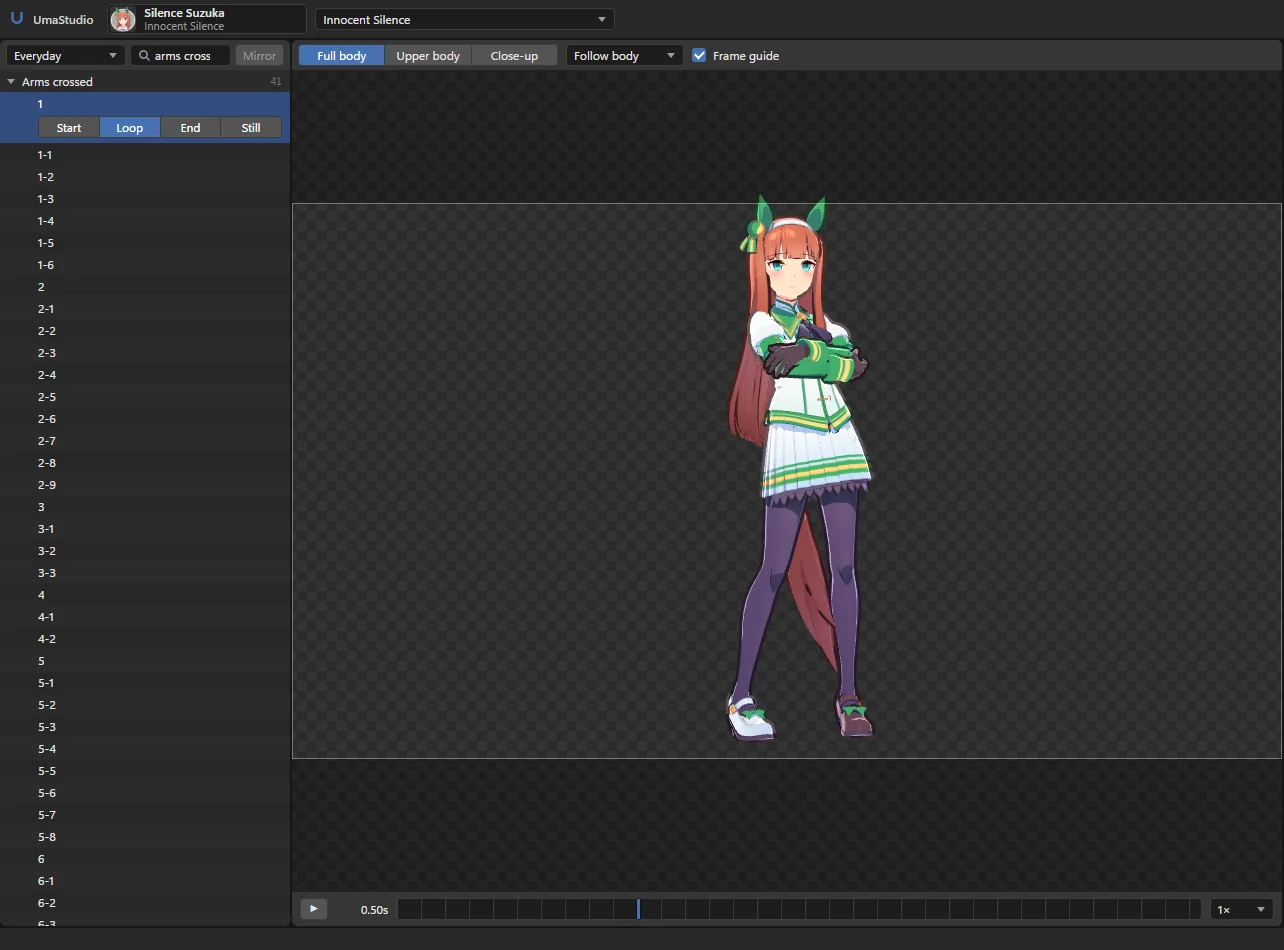
Searching the pose list for arms crossed

Over 4,000 poses.

Everyday motions, victory poses, cut-ins, dances, training and story scenes, plus each character's own. Search them in plain English: arms crossed, waving, phone.

Pause anywhere and that frame is your pose. Hair and clothes move with the game's own physics.

Give her something to hold.

Over 500 of the game's hand props, most with their own grip so her fingers close around them. Or use your own picture: as a card, on a box, or on one of the game's props.

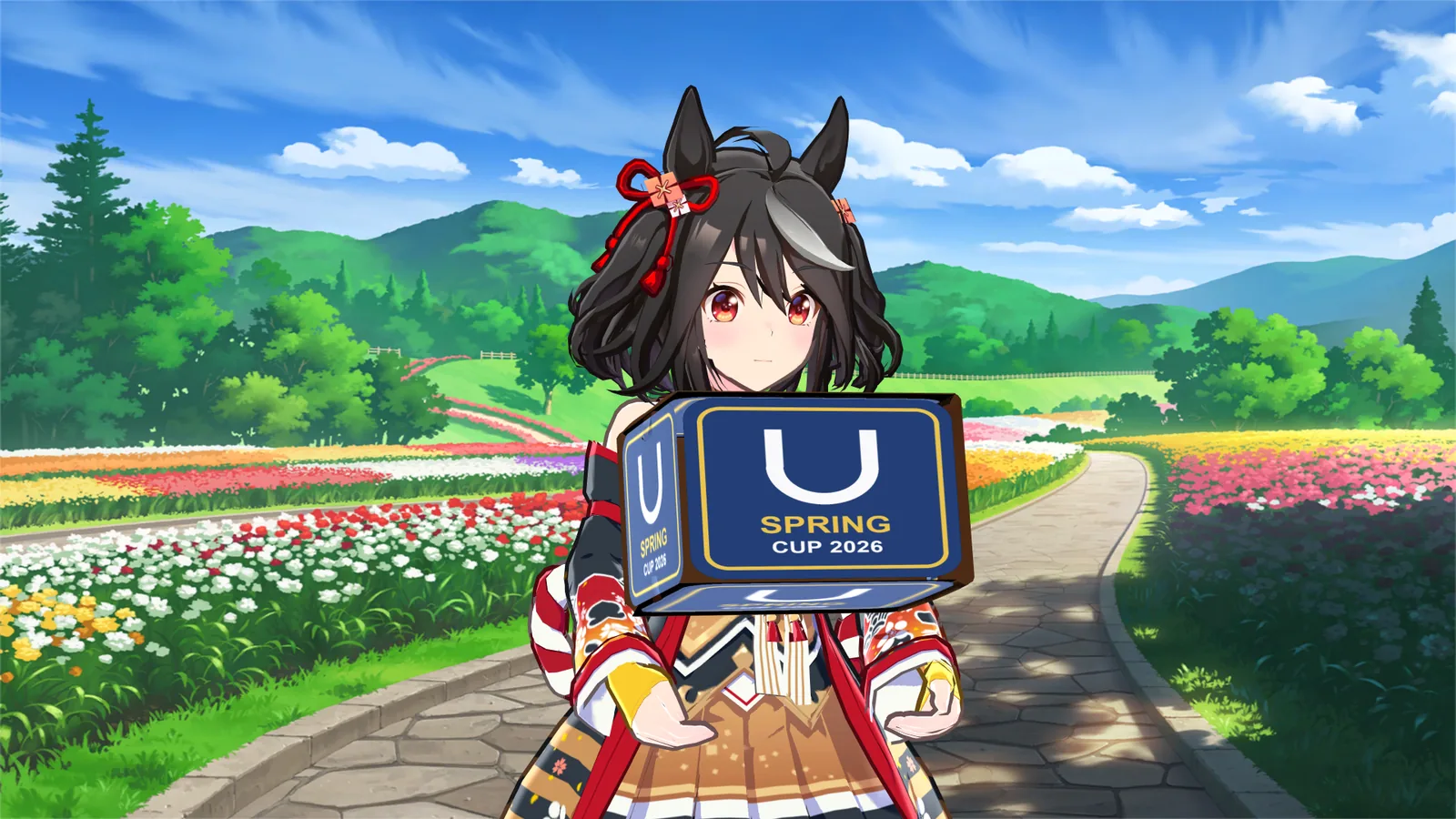
Kitasan Black carrying the game's box with a custom picture on it
Your picture on the game's box
Daiwa Scarlet drinking from a bottle
A game prop
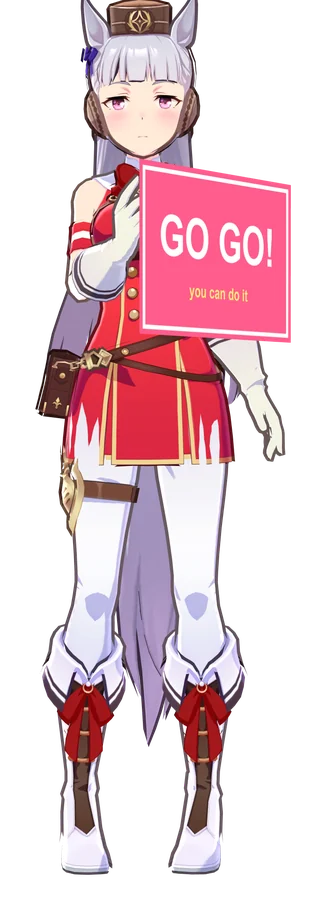
Gold Ship holding a picture card
A picture card
Kitasan Black with the box in front of a flower path background

Put her anywhere.

Over 1,000 of the game's story backgrounds, wide and vertical, or a picture of your own. Zoom, move and blur it until it fits.

Or keep it transparent, white or green for editing later.

Close-up of Tokai Teio winking at the camera

Look this way.

Every expression in the game, or set eyebrows, eyes, mouth and iris one by one.

Turn on Look at camera and her eyes, or eyes and head, follow you while she moves.

Save it.

PNGs up to 4K, transparent if you like. Videos at 30 or 60 fps, rendered frame by frame so they come out smooth on any PC. The clip on the left was recorded in UmaStudio.

  • PNG
  • MP4
  • WebM with transparency
  • MOV ProRes 4444
  • GIF
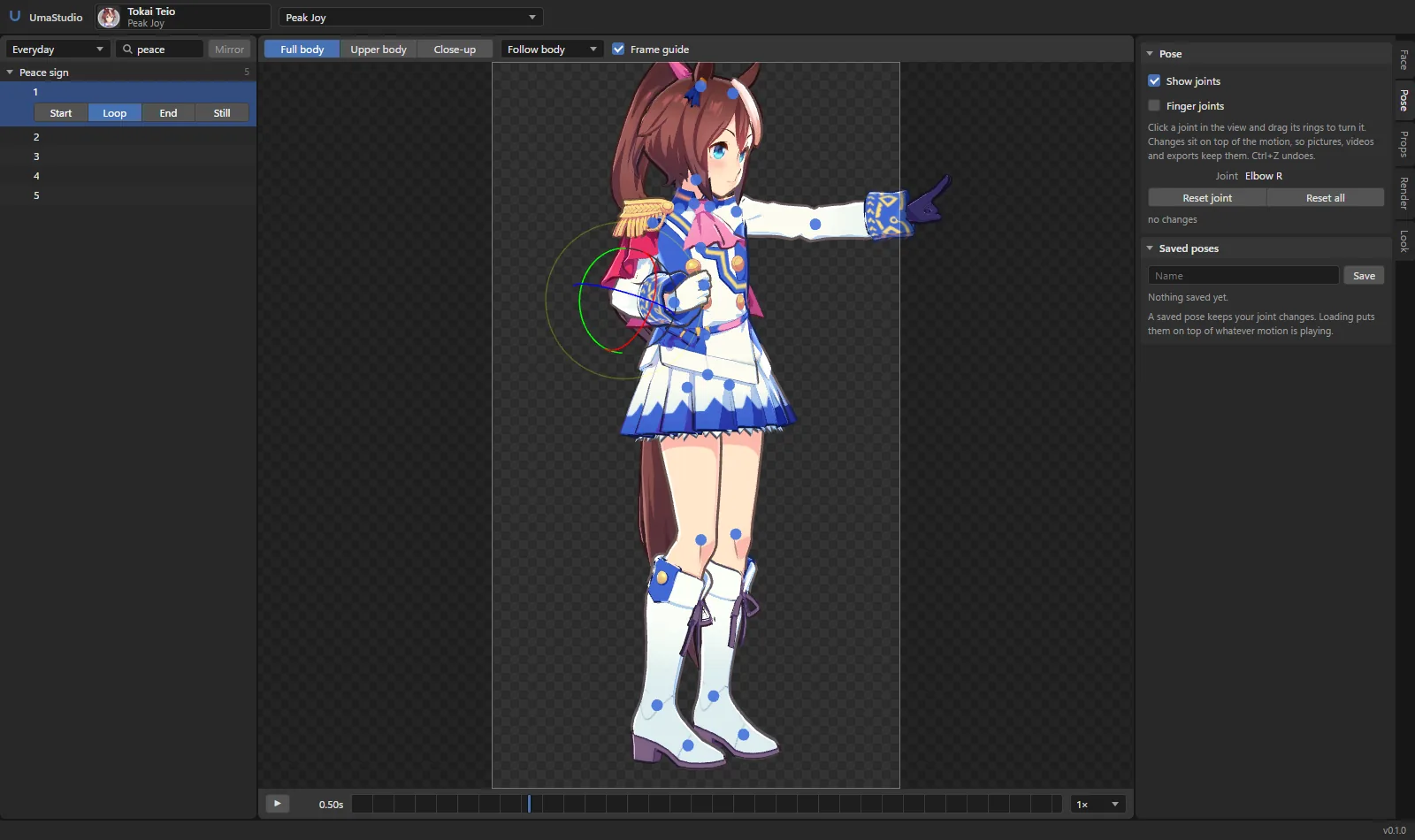
Pose mode with the joints shown and an elbow selected

Pose by hand.

Click a joint and turn it with the rings, on top of any game pose. Arms, head, legs, ears, fingers. Save the poses you like and load them onto other motions.

Then take her to Blender: her mesh, skeleton, textures and props as one .glb, in the pose or with the whole motion baked in, physics included.

UmaStudio and UmaViewer.

UmaViewer is the long-running asset viewer for the game. UmaStudio is built for one job: making pictures and videos of an Uma. Here is where that shows.

UmaStudioUmaViewer
Props in her hands Over 500 game props, placed in her hand with the game's own grips. Your pictures as cards, boxes or on a prop. Props load as separate objects. Holding them is an open request.
Video MP4, WebM and MOV, the last two with transparency, at up to 60 fps. Every frame is rendered on its own. GIF and image sequences.
Setup Finds the Steam install by itself. Nothing to point it at. Tries to find the data folder. If that fails, you set it in the settings.
Game updates Reads the database key from your own install, so an update that changes it does not need a new UmaStudio. Ships the key in its code. After the July 2026 Global update it needed a new build to read the data again (#218).
Finding a pose Over 4,000 poses, grouped and searchable in plain English, plus her own. Animation lists per category.

UmaViewer still does more in a few places: concerts with the song, lyrics and stage, MMD export (PMX and VMD), and the JP and KR clients. If you need those, use it.

Your files stay yours.

UmaStudio reads the game files already on your PC. Nothing is uploaded and there is no account.

  • Game can stay closedIt only needs the files on disk, not the running game.
  • Nothing changedThe game folder is only read, never written to.
  • No game files shippedEverything you see comes from your own install.
  • Open sourceGPL-3.0, the code is on GitHub.

Pick an Uma.

Download it, extract it, run it. The guide covers the rest.